
How to Search Cases by Name
The county's own pages offer no name-search box. Your remote option is re:SearchTX. It asks you to register or sign in with eFileTexas credentials. The service's guide describes a general search bar plus search types, filters, case details, exports, saved searches, and advanced search. What Briscoe coverage looks like, and how deep each result goes, still needs testing on your own queries.
- Register or sign in, then choose Cases rather than Hearings, Filings, or Text in Documents.
- Enter the best-known party name. Add court, case type, or date filters only when the interface offers a verified choice.
- Compare possible matches by court, caption, filed date, and cause number. Similar names alone do not prove identity.
- Open the case description and review Case Details. Contact the custodian before treating the result as complete.
That guide supports the field inventory below. Treat it as a description of statewide controls rather than a Briscoe-specific screen.
| Field Label | Type | Required | Notes |
|---|---|---|---|
| Search bar | Text | Search-dependent | General keyword entry documented in the guide. |
| Search type | Choice | Yes | Cases, Text in Documents, Hearings, or Filings. |
| Filters | Refinement | No | Left-side filters narrow returned items. |
| Advanced search | Expanded controls | No | Available from each documented search area. |
Briscoe Case Search Types
Each search type does a different job. Cases hunts for a case record. Filings tracks entries filed into cases, and Hearings looks for settings. Documents searches words inside covered documents. Choosing the right type keeps a Briscoe County case lookup from turning into a noisy, over-broad query. The official re:SearchTX landing page displays the entry point itself.
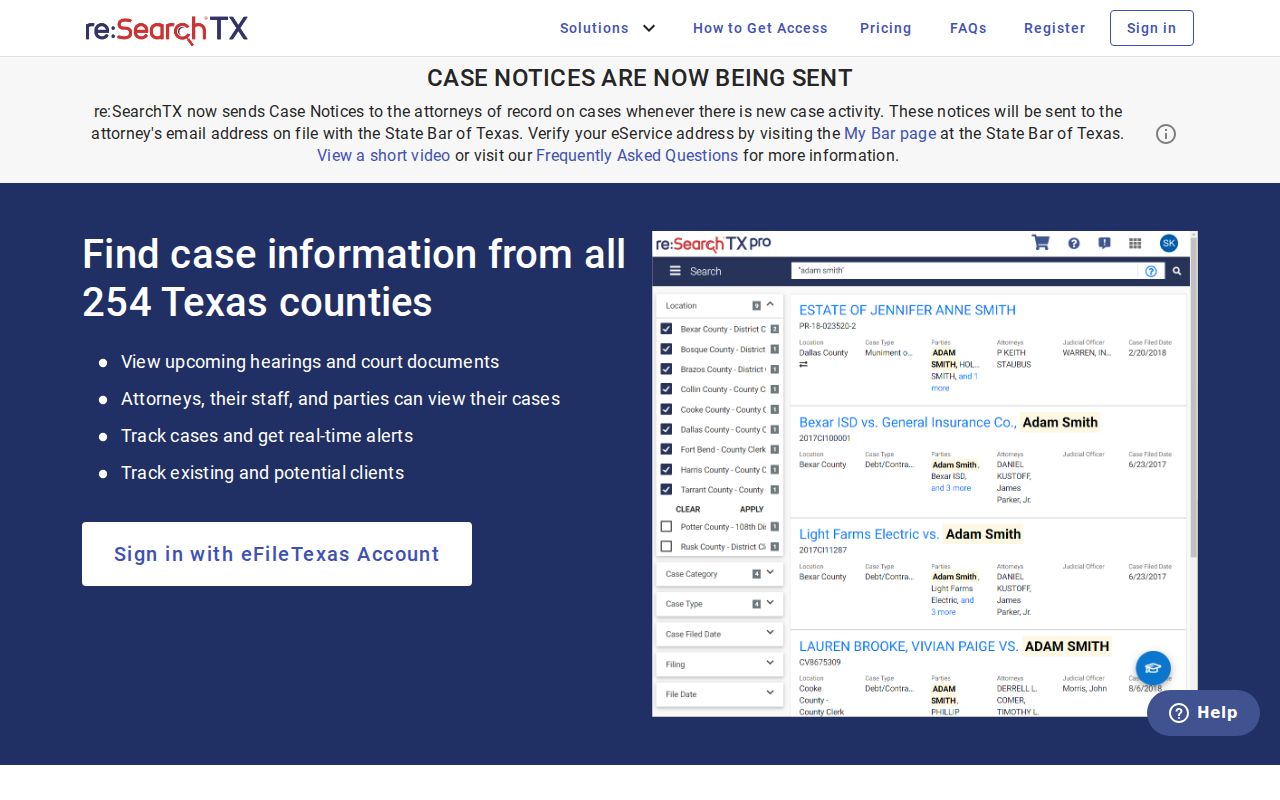
The account screen is the statewide gateway. Actual Briscoe County coverage still has to be tested search by search.
- Case
- The matter as a whole, usually identified by a cause number and caption.
- Filing
- A document submitted and entered into a case record.
- Hearing
- A scheduled court event linked to the case.
- Document search
- A text-based search within documents that the system makes searchable.
The guide also documents result exports and saved searches. Those conveniences prove nothing about completeness, and the state report lists criminal records as a known limitation.
How to Search by Case Number
Copy the cause number exactly. It appears on a pleading, order, citation, or clerk notice. Briscoe County publishes no verified numbering pattern, so guessing a year-code-sequence format would mislead you. Enter Exact cause number as printed. Keep every letter, zero, dash, space, and suffix. If the system rejects punctuation, try a normalized version. When a number fails, confirm which court assigned it.
For county and 110th District Court records, contact the combined Briscoe County/District Clerk first. JP Precinct 1 and JP Precinct 2 each keep their own justice records. A citation number may not act like a county or district cause number. And note that eFileTexas is not a public lookup tool.
Briscoe Directory Is Not Search
The Texas Judicial Branch directory offers many filters. You can narrow by court type, appellate district, county, administrative region, court text, primary district location, city, and sort order. Its Briscoe result lists the county court. Both justice courts appear too. Those entries point you to the right court and contact. What they never return is party names, case documents, dockets, or hearing dates.
OCA Court Activity Reporting is not a case lookup either. It generates fiscal-year statistics such as pending, added, or disposed counts where reports exist. The selection page itself warns that courts may have missing reports. A statistical row cannot tell you what happened in one Briscoe County case. Use the directory for routing. Use OCA for context. Get the actual case from re:SearchTX or the clerk.
Note: A court directory result confirms an office, while a case result must match the specific cause, parties, and court.
What a Case Search Shows
The re:SearchTX guide traces a path from results to Case Details, then filing details and hearing details. Whether a live Briscoe result behaves the same way is something you confirm by searching. Treat the fields below as a checklist of what a court record can hold, not a promise that every field appears online or that every linked document can be downloaded.
| Case Number | The court’s cause identifier, copied as printed on the source record. |
|---|---|
| Style or Parties | The case caption, which helps separate people or entities with similar names. |
| Case Type | The court category, such as criminal, civil, family, probate, juvenile, or child protection. |
| Filed Date | The date the case or a listed document was filed. |
| Status | An open, closed, or disposed label where supplied, read with later entries and orders. |
| Settings | Hearings or trial dates where covered, subject to direct court confirmation. |
A full file may also hold pleadings, motions, orders, judgment, sentence, disposition, and clerk stamps. An index result is not the whole court record.
When Briscoe Search Is Empty
A blank statewide result does not mean no case exists. The 2024 OCA Data Committee report says re:SearchTX cases generally date back to 2016. It flags criminal records as a limitation. Older papers may sit outside any remote index.
Switch channels instead. Call the County/District Clerk at (806) 823-2131 ext. 2. Email coclerk@co.briscoe.tx.us. Fax (806) 823-2076. Visit 415 Main St in Silverton. Or mail P.O. Box 555, Silverton, TX 79257. The 2019 archive plan documents a public terminal for court-document searches. Justice cases go to Precinct 1 at ext. 7 or jp1@co.briscoe.tx.us. Precinct 2 takes them at (806) 455-1508 or jp2@co.briscoe.tx.us.
Keep any written request narrow. Name the court. Give the cause or citation number, the document type, and the approximate filing date. Ask for inspection, electronic delivery, a photocopy, or a certified copy. Request a fee quote. The clerk need not build a new compilation for you.
County vs Statewide Case Search
Briscoe County offers no local remote portal on its official pages. A "county search" really means the clerk's records, counter, public terminal, phone, email, fax, or mail route. re:SearchTX serves as the statewide electronic layer.
| Point | re:SearchTX | Briscoe County route |
|---|---|---|
| Access | Registered online account | Clerk or JP contact; counter and documented public terminal |
| Best use | Remote lead across participating courts | Known local case, older record, or failed online search |
| Limits | Coverage and criminal-document limits | No current public remote case form found |
| Authority | Electronic system result | Originating clerk or court confirms the record |
Most Briscoe County case lookup work uses both paths. Search remotely, note the terms and date, then ask the local clerk to resolve anything missing or unclear.
Briscoe Filing Is Not Lookup
Filing and lookup are different jobs. eFileTexas covers the filing side under Texas filing rules. It is not a public docket reader. A filer may reuse those credentials for re:SearchTX. The shared login does not merge the two products, though. A filing receipt never replaces the originating Briscoe County docket.
The same caution applies to payment vendors. Certified Payments shows up on local clerk and JP pages. It is for paying, not for finding a case. Confirm before any money moves. Check the case, the amount, any appearance duty, and what the payment means with the proper court.
Restricted Cases and Access Rules
Access to a Texas court record depends on the record itself and the law that governs it. Judicial case records are not county administrative records. The Texas Public Information Act treats them differently. Texas Judicial Branch policy sends judicial records to court rules, statutes, and common law. Rule 12 covers judicial record requests. Court case records can answer to other provisions entirely.
Sealed, expunged, juvenile, and child-protection material may be withheld or left out of a public docket search. Texas Rule of Civil Procedure 76a sets the standard for sealing civil court records. Rule 21c covers redaction of sensitive data. A missing item can also reflect coverage, age, indexing, or the wrong court, so do not label it sealed without confirmation.
Access depends on the record. Ask the clerk whether the file is sealed, confidential, expunged, not maintained there, or available in redacted form, and request the legal basis for withholding.
Briscoe Terminal or Remote Search
A 2019 records archive plan describes how the combined clerk stores Briscoe County records. Files are kept electronically. Daily image backups go off-site. A public terminal in the office serves court document and real-estate searches. The report counted more than 5,000 civil and criminal action files plus more than 250 record volumes at that time. That scale explains why an in-office search may reach material a remote docket query misses.
The plan is silent on some details. It names no current terminal software, hours, export functions, account rules, or full indexing dates. Some deed volumes had been digitized into ONYX. Older probate imaging was left for later work. That history does not put every old court file online. Call before visiting. Bring the strongest case details. Ask whether your year and court are indexed.
Note: The archive plan is a 2019 snapshot, so current terminal access and digitization status should be confirmed with the clerk.